Best Free Browser Games to Play at School (No Download) — 2026

Best Free Browser Games to Play at School (No Download)
Last updated: August 2026 (back-to-school refresh) · All games tested hands-on by BooBoo Editorial
New school year, same two constraints: whatever you play between classes has to load instantly on a school machine, and it has to need exactly nothing installed. For the 2026 back-to-school season we've re-tested the list and added four fresh picks from this summer's review batch — all trackpad-friendly, with each one's downsides (ads, quirks) noted honestly in its write-up.
The ideal school-break game is quiet, loads in seconds, needs no account, and works on a basic Chromebook. No giant download, no install prompt, no sign-up wall — just open a tab and play for five minutes between tasks.
We tested dozens with exactly that in mind. Below are 18 free browser games that are genuinely classroom-friendly — brain, word, math, and classic puzzle games that run instantly with nothing to install. The first nine are quick classics; the last nine come from our hands-on review library, with notes (and flaws) taken straight from our playtests.
One honest note up front: whether a specific site is reachable on your campus depends on your school's network filter, which we can't control. What we can promise is that none of these games need a download, a plugin, or an account to play.
Classic quiet games (perfect for a study break)
1. Classic Solitaire Master — the all-time desk classic
The card game generations have played on a computer, now in your browser. Calm, familiar, and endlessly replayable in short sessions.
→ Play Classic Solitaire Master
2. Cute Tiles Mahjong — relaxing tile matching
A charming, low-pressure mahjong solitaire. Match tiles to clear the board — quiet, satisfying, and easy to pause when class starts.
3. Ultimate Chess — play a friend or the computer
A clean browser chess game with player-vs-player and player-vs-computer modes. The single best "is this actually educational?" pick on the list. And if head-to-head is the part you enjoy, our 2-player games guide collects more free duel games that need no download.
Brain trainers (sneakily educational)
4. Sudoku Puzzle — the number-logic classic
A proper 81-square Sudoku grid. Pure logic, no reflexes, infinitely replayable — and a legitimate brain workout you can defend to a teacher.
5. Word Ladder — change one letter at a time
Transform one word into another by changing a single letter per step. Light spelling and vocabulary practice disguised as a puzzle. (Love word games? See our full guide to free games like Wordle.)
6. MathTaless — quick mental math
Solve addition and subtraction problems against the clock. Genuinely useful arithmetic practice in a fast, game-y wrapper.
7. Memory — test your recall
The classic matching-pairs memory game. Flip cards, remember positions, clear the board. A 60-second brain reset between assignments.
Quick & active (when you need to wake up)
8. Type It — a typing game that builds a real skill
Words fall and you race to type them before they land. It's a fun way to build typing speed — a skill that actually pays off in class.
9. Fun Jigsaw Puzzle — relaxing for all ages
A calm, satisfying jigsaw you can pick up and put down in a minute. Good for winding down without anything flashy or loud.
Nine more picks from our hands-on review library
The nine games above are quick classics we keep coming back to. The picks below went a step further: each one has been through our full review process — played firsthand, timed, and written up, downsides included. Here's what those playtests actually found.
10. TenTrix — the untimed block puzzle
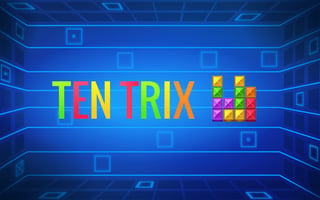
Drag three pieces at a time onto a 10x10 grid and clear full rows and columns — no timer, no falling blocks, no rotation. In our playtest it loaded in about 12 seconds (including a mildly annoying 3-second stall at 99%), then ran clean: piece placement responded in under 200 milliseconds and we hit no interstitial ads during the whole session. Two honest caveats: there's no tutorial, so first-timers may spend 30 seconds wondering why pieces don't rotate, and there's no undo — every placement is final. It holds a 9/10 rating from 5,649 GamePix votes, and a typical session runs 5–20 minutes with a pause button when class resumes.
11. Blockle — five modes, zero time pressure in Classic
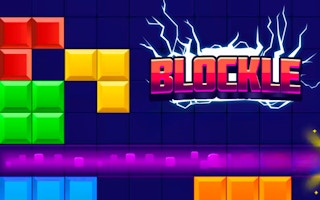
Same block-puzzle family as TenTrix, but on a tighter 8x8 grid with five modes — and Classic mode has no time limit at all, which makes it the think-at-your-own-pace option. Our review found the drag-and-drop controls crisp (placements register in under 200 milliseconds) and no forced ads during gameplay. The downsides we noted: the look is clean but generic, and nothing in the game explains how the Blast, Advanced, or Challenge modes differ from Classic — you find out by trial and error.
12. Kobadoo Arithmetic — mental math meets memory
Numbers flash on screen one at a time; you hold them in your head, add them up, then pick the correct sum from a grid of 30+ candidates across 31 levels. It's brain training first and a game second — no sound, no animation, and one wrong pick ends the run instantly. That stings, but it also keeps a full attempt under 30 seconds in our playtest. Fair warning: it starts hard (our first sequence opened with −70) and there's no practice mode. If you'd rather drill pure recall than math, its sibling Kobadoo Numbers uses the same quiet, click-only format.
13. Three Cups Game — the shell game, played fair
Three cups shuffle, one hides a ball, and you click where it ended up — with the shuffle speeding up each round. In our playtest it went from first click to playable in roughly 15 seconds, showed no pre-roll video ad, and put no time limit on our pick once the cups stopped. Players rate it 9.2/10 from 795 GamePix votes. The catch: one wrong guess resets your score to zero, and beyond track-and-click there's nothing else to it — which is exactly why it works as a 60-second focus reset.
14. Floppy Pipe — for ten-second bursts (with caveats)
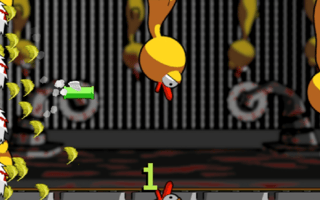
A Flappy Bird role reversal: you're the pipe, dodging chickens and buzzsaws with one-button taps. Input registered in under 100 milliseconds in our playtest, and new-player runs last 3–10 seconds — the shortest rounds on this list by far. Know what you're getting, though: the difficulty has no ramp at all, a banner ad sits on screen during play with interstitials between some rounds, and the QUIT button sits close enough to the tap zone that accidental exits happen. It's the least calm pick here — reach for it when you want a jolt, not a wind-down.
15. Water Sort Puzzle Italian Brainrot — the satisfying one (new for fall 2026)
The classic pour-the-colors puzzle with a meme-art collection meta: sort each tube to a single color, unlock Italian Brainrot character cards piece by piece. Our August playtest cleared Level 1 in a perfect 5 moves and hit hidden-color "mystery tubes" by Level 2 — the difficulty arrives fast but undo is free and unlimited. Pours animate in about a second, taps only, zero keyboard. One heads-up for school settings: a skippable interstitial ad fired between levels in our session.
→ Read our review & play Water Sort Italian Brainrot
16. Traffic Escape — the logic break (new for fall 2026)
Rush-hour sliding puzzle: free the red car by sliding the blockers out of its lane, beating each level's par for three stars. Our August session mapped 8 themed parking lots at 30 stars each (~80 levels) behind a genuinely clean portrait interface with free undo/redo — the par system turns each board into a tiny optimization problem, which is about as close to "productive procrastination" as a game gets. Expect a skippable pre-roll before the menu.
→ Read our review & play Traffic Escape
17. Smarty Bubbles — the zero-friction bubble legend (new for fall 2026)
If any game was built for a five-minute break, it's this one. Famobi's portal-era bubble shooter opens directly into play — no menu, no tutorial, no account; just the bubble grid, a launcher, and an aim arrow. In our playtest it was about fifteen seconds from click to first shot, and all three aimed shots stuck exactly where the arrow pointed while the launcher reloaded the next queued color. Full honesty: our test shots never formed a three-cluster, so we popped nothing and scored zero — the aiming is never to blame here, the matching is on you. One click or tap is the entire control scheme, the build is light 2D, and past a skippable ad attempt at the splash (press Play again if it bounces you), nothing interrupted play.
→ Read our review & play Smarty Bubbles
18. Cut The Rope — the official classic, one level at a time (new for fall 2026)
Yes, the real one: ZeptoLab's candy-and-ropes physics puzzle in its official HTML5 build — the in-game menu shows the zeptolab and Famobi logos side by side. Controls are drag-only: slide your mouse or finger across the rope itself (our first swipe crossed below the candy and cut nothing — aim for the strand). Levels are single-screen contraptions you can finish or abandon between bells; our corrected swipe cleared Level 1-1 through all three stars, fed Om Nom, and unlocked the first "Drawing found!" collectible. The Play button resumes straight into your current level, sound toggles sit top-right (keep it muted at school), and we hit no mid-level ads in any session — just the skippable splash ad, which sometimes wants a second press of Play.
→ Read our review & play Cut The Rope
The review-library picks at a glance
| Game | Best for | Controls | Watch out for |
|---|---|---|---|
| TenTrix | Untimed spatial puzzling | Drag — mouse or touch | No tutorial, no undo |
| Blockle | Block puzzles with mode variety | Drag only | Extra modes are unexplained |
| Kobadoo Arithmetic | Mental math + memory drill | Click/tap only | One wrong pick ends the run |
| Three Cups Game | A 60-second focus reset | Click/tap only | Wrong guess resets your score |
| Floppy Pipe | Ultra-short reflex bursts | One-button tap | Ads between rounds; brutal difficulty |
| Water Sort Italian Brainrot | Satisfying color sorting | Tap only | Interstitial between levels |
| Traffic Escape | Par-chasing logic puzzles | Tap & drag | Pre-roll before the menu |
| Smarty Bubbles | Instant, zero-menu bubble popping | Click/tap only | Skippable splash ad; matching takes real aim |
| Cut The Rope | Official physics-puzzle nostalgia | Drag — mouse or touch | Cut the strand itself; splash ad may want a second Play |
Will they run on a school Chromebook?
This is where light HTML5 games earn their keep. Kobadoo Arithmetic renders with plain DOM and CSS rather than WebGL, so it runs on virtually any browser. Three Cups Game is built in Construct 3, which keeps the download small — roughly 15 seconds from first click to playing in our test, versus around 30 seconds for the Unity WebGL titles we've reviewed. TenTrix took about 12 seconds to reach its menu in our session. None of that will strain a basic Chromebook.
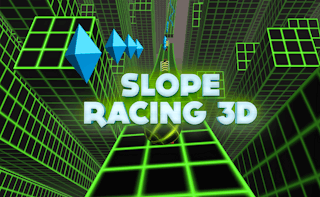
The contrast case is instructive. We also reviewed Slope Racing 3D — a genuinely good neon ball-runner rated 9/10 by more than 53,000 players — but it's a Unity WebGL build that took about 20 seconds to load in our test and can struggle on devices with limited graphics memory. On a school Chromebook with a five-minute break, that math doesn't work. Save the heavier 3D stuff for a home machine — our free racing games guide rounds up the fast options for when you're not on a school device. (One racing legend does travel well: the Moto X3M series is light, 2D, and loads fast on a Chromebook — it just really wants physical arrow keys, so it's a keyboard-desk game, not a trackpad one. Our Moto X3M series guide covers every entry.)
Built for five-minute breaks
Session length matters more at school than anywhere else, and these picks fit fragmented time on purpose. A Floppy Pipe run is over in seconds. A full Kobadoo Arithmetic attempt — splash screen to game over — took us under 30 seconds. Three Cups Game never rushes your decision once the shuffle stops. And TenTrix and Blockle's Classic mode have no timers at all, plus pause buttons, so walking away mid-game costs you nothing.
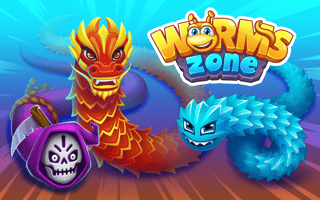
Multiplayer is the exception, and it's worth being honest about why. We reviewed Worms Zone — an 8.8/10 snake arena with over 60,000 votes and 130+ players per match — and enjoyed it, but it took 20–30 seconds just to reach the menu behind a skippable video ad, and it pushes more ads when you die, which in our session happened every 9–23 seconds. That's a home game, not a study-hall game. When you're off the clock, our io games guide sorts the best arena games by style.
One neutral reminder while we're here: a study break is still school time. Follow your school's device policy, keep the sound off, and close the tab when class starts.
Keyboard, trackpad, or touch?
Most school Chromebooks mean a trackpad, and that shaped this list. Kobadoo Arithmetic, Kobadoo Numbers, and Three Cups Game are single-click games — the easiest possible input on a trackpad. TenTrix and Blockle are drag-and-drop with no keyboard input at all, which works fine on a trackpad and is effortless on a touchscreen. Floppy Pipe is one tap or click anywhere on the screen. The deliberate exception is Type It, which needs the keyboard because building typing speed is the whole point. Games steered with arrow keys — Slope Racing 3D among them — really want a physical keyboard and a machine with headroom, one more reason they belong at home.
How we picked these
Every game here was opened and played hands-on by our editorial team, and the nine review-library picks went through our full write-up process — where we record load times, input response, control schemes, and ad behavior during each session. We chose for the things that matter at school:
- No download, no account, no plugin — loads in a browser tab and plays immediately
- Lightweight — runs on a basic school Chromebook without lag
- Quiet and appropriate — brain, word, math, and classic puzzle games; nothing loud or violent
- Honest about downsides — where a game has aggressive ads, a difficulty spike, or a slow load, we say so above instead of hiding it
Read more about our editorial process. Want more brain games for any time? Browse our puzzle games and casual games collections.
Bottom line
The best school-break games aren't the flashiest — they're the ones that load instantly, stay quiet, and let you jump back to work in a second. These 18 free browser games do exactly that, with nothing to install. Bookmark this page for your next study break.
Play these hand-reviewed games free on BooBoo
Each of these is a game our editorial team personally playtested and wrote up — click through for the full review, screenshots, and controls.
Related Articles

Smarty Bubbles & Famobi's Official Bubble Games: Play the Originals Free (2026)
Smarty Bubbles is the bubble shooter half the internet played on portal sites — and the official family runs free in your browser: the play-tested original, the sequel, the X-MAS edition, plus Famobi's other first-party bubble hits. The originals, not the knockoffs.
August 26, 2026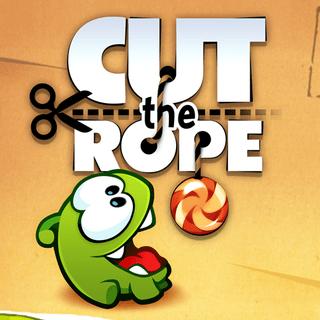
Cut the Rope & Om Nom Games: Play the Official Series Free in Your Browser (2026)
Nine official ZeptoLab titles — the legendary rope-cutting originals and Om Nom's spin-off adventures — all licensed, all free, all in your browser. Which entry to start with, what each one changes, and the hand-tested review of where it all began.
August 26, 2026
Games Like Dragonsweeper: Free Minesweeper Games in Your Browser (2026)
Dragonsweeper turned Minesweeper into a monster-hunting roguelike and has camped in itch.io's top-rated shelf ever since. Here's what makes it special, where the real one lives — and six free, licensed sweeper games in our catalog for the same deduce-and-click itch, from an infinite-descent reinvention to 1v1 duels.
August 21, 2026Ready to Play Some Games?
Discover hundreds of free online games. No downloads, no registration required!
Play Games Now