Battle Simluator - Counter Stickman
Play Counter Stickman free online. Deploy stickman soldiers on a 3D battlefield, manage your budget, and watch tactical auto-battles unfold. No dow...
Battle Simluator - Counter Stickman
Mobile ReadyLoading game preview...
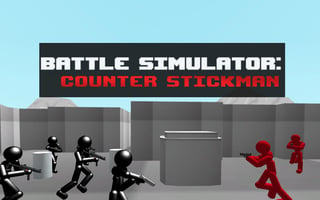
Play in page
How to Play
Click the "Play Now" button to play this game directly in the page. Some games may open in a new tab if iframe is not supported.
🎮 Action Game
📐 800 × 600
🌐 HTML5 - Play in page or new tab
About This Game
Play Counter Stickman free online. Deploy stickman soldiers on a 3D battlefield, manage your budget, and watch tactical auto-battles unfold. No download needed.
Game Features
- ✓No download required
- ✓Play in your browser
- ✓Mobile compatible
- ✓Free to play
Tags
Player Ratings
Counter Stickman — A Low-Poly 3D Stickman Battle Simulator
Published November 16, 2020 · Last updated April 1, 2025 · Reviewed by BooBoo Editorial on April 23, 2026
Introduction
Battle Simulator: Counter Stickman is a browser-based tactical battle game where you command a squad of armed stickman soldiers against enemy forces across 3D urban battlefields. Developed by Ukrainian studio Melior Games (developer Yuriy Nikshych), the game has accumulated over 9,300 votes on GamePix with an 8.8/10 rating and holds a 9.4/10 on CrazyGames from 1,531 votes. The core loop is straightforward: spend a budget to place units on a grid, press play, and watch them fight. It originally launched as a mobile title in 2018 before arriving on browser platforms.
At a glance:
- Stickman army placement + auto-battle combat
- Landscape orientation, mouse/click controls only
- Instant play, no download, no signup
- Mission-based progression with escalating budgets
Hands-On: What It's Actually Like to Play
Loading takes about 35 seconds, during which a spinning percentage counter fills while a banner ad plays at the bottom (during our session it showed "20% Off Fun Math Program"). After dismissing the GamePix consent screen — which read "好,开始游戏!" in Chinese localization — you land on the unit placement screen.
The placement screen is the core decision-making moment. At the top, a roster of stickman soldier types stretches across the full width, each labeled with a cost: the cheapest pistol unit at 1110, then 1270, 1400, 1520, and so on up to 4650 for what appears to be a heavy weapons specialist. Your budget counter sits in the top-left corner, glowing green — "4440" on Mission 1. The center of the screen shows a grid of placement tiles set in a low-poly 3D urban environment with blocky buildings, a white sedan, and a boxy van parked around the edges.
You click a unit type in the roster to select it, then click grid squares to deploy your soldiers. Each placement deducts from the budget counter — two pistol units at 1110 each dropped it from 4440 to 2220. When you hit the red play-triangle button at bottom-right, the camera zooms in and your black stickmen sprint forward in formation, pistols drawn. Red enemy stickmen appear from the far end of the map and the two squads fight automatically.
Combat resolves in roughly 15-20 seconds. A green arrow with a hand icon appears at the bottom-right during battles, which you can click to speed things up. If you deploy too few troops, the game displays a dialog that reads "You muse first add more stickmen" — yes, with that exact typo ("muse" instead of "must") — along with an "Accept" button that returns you to the placement grid.
After completing Mission 1, the budget increased from 4440 to 4880, and a second unit type unlocked (green background, costing 1270). Mission 2 featured a larger urban map with more buildings providing cover. The progression follows this pattern: clear a mission, earn a budget increase, unlock costlier unit types, face a tougher battlefield layout.
How to Play / Controls
Counter Stickman uses mouse or touch input exclusively — no keyboard controls were detected during testing.
- Select a unit: Click any soldier icon in the top roster bar to choose a unit type
- Place on the grid: Click empty grid squares to deploy your selected unit (each costs budget points)
- Start the battle: Click the red triangle button (bottom-right) once you have placed enough troops
- Speed up combat: Click the green arrow icon during battle to fast-forward
- Pause: Click the pause icon ("II") in the top-left during combat
- Cancel/Exit: Click the X button (bottom-left) to return or cancel
The entire game runs on click or tap inputs with response times under 200ms. There is no tutorial — you are dropped directly into the placement screen and expected to figure out the roster-grid-play loop on your own.
Strategy Tips
-
Spend your full budget every round: Leftover currency does not carry over as a meaningful advantage, but unspent units mean fewer soldiers on the field. On Mission 1 with a 4440 budget, deploying four 1110-cost units uses the full budget and gives you a solid squad size.
-
Spread your units across the grid rather than clustering: Placing all soldiers in one corner means they approach the enemy from a single angle. Spreading them across different grid tiles forces the enemy to split their fire and creates natural crossfire positions.
-
Unlock and use the second unit type early: After Mission 1, the 1270-cost unit becomes available (green background in the roster). Mixing unit types gives your squad variety — the basic 1110 unit carries a pistol while higher-cost units appear to wield different weapons, potentially offering range or damage advantages.
-
Watch one battle at normal speed before using fast-forward: The green arrow speed-up button is tempting, but observing how your stickmen move and engage at normal speed reveals enemy spawn positions and terrain bottlenecks you can exploit in the next mission.
How It Compares
| Feature | Counter Stickman | Stickman Army: Team Battle 3 | Totally Accurate Battle Simulator |
|---|---|---|---|
| Platform | Browser (HTML5) | Browser (HTML5) | PC (Steam) |
| Art Style | 3D monochrome low-poly | 2D side-scroll | 3D colorful ragdoll |
| Player Input | Unit placement only | Unit selection + deployment | Full unit placement |
| Combat | Auto-battle, hands-off | Auto-battle with some control | Auto-battle with physics |
| Session Length | 15-20 min | 10-15 min | 30-60 min |
| Price | Free | Free | $19.99 |
Player Ratings — What Other Players Say
Counter Stickman has solid ratings across the major HTML5 game platforms:
- CrazyGames: 9.4/10 based on 1,531 votes (1,440 upvotes, 91 downvotes) — verified April 23, 2026
- GamePix: 8.8/10 based on 9,359 votes (8,330 positive, 1,029 negative) — verified April 23, 2026
- Y8 Games: 8.7/10 with 71,779 total plays — verified April 23, 2026
The game also has a Steam version (released December 2023) with a "Mostly Positive" rating at 75% from 29 user reviews, though the PC version drew some controversy when it went free-to-play in January 2026. The browser version on GamePix and CrazyGames has been consistently well-received.
Not listed on: Poki, BrightestGames. No dedicated Reddit discussions found in r/webgames or r/BrowserGames. YouTube coverage exists primarily as 2019 mobile walkthrough videos.
Who Made It
Yuriy Nikshych is a Unity3D developer based in Kyiv, Ukraine, working with Melior Games, a game development studio founded in 2010. Melior Games has offices in Lithuania and Ukraine, and has completed over 120 projects across iOS, Android, Xbox, Windows, and macOS platforms.
Nikshych has developed several other stickman-themed titles including Stickman Counter Terror Strike, Stickman Street Fighting 3D, Stickman Tennis 3D, and Stickman Fighting 3D. Counter Stickman was originally released as a mobile game in 2018 under the name "Battle Sim: Counter Stickman" on Google Play (1M+ downloads, published by LM Studios/yandagame), before being ported to browser via GamePix in November 2020 and later to Steam in December 2023 through publisher Thegamesfortress.
Developer identity verified via LinkedIn and Melior Games company profile.
FAQ
Is Counter Stickman free to play? Yes, Battle Simulator: Counter Stickman is completely free to play in your browser on BooBoo.cc with no download or signup required. The game is ad-supported with banner ads during loading and between missions.
What are the controls for Counter Stickman? Counter Stickman uses click/tap controls only. Select a unit from the top roster, click grid tiles to place soldiers, then press the red play button to start the battle. During combat, click the green arrow to speed up the action.
How many missions does Counter Stickman have? The Battle Simulator: Counter Stickman campaign runs through a multi-mission structure with escalating difficulty. Each mission introduces a new battlefield layout and increases your deployment budget. Based on YouTube walkthrough coverage, the game has 30+ levels reaching a "MAX LEVEL" endpoint.
Who developed Counter Stickman? Counter Stickman was developed by Yuriy Nikshych, a Unity3D developer at Melior Games in Kyiv, Ukraine. The studio has produced over 120 games since 2010.
Can I play Counter Stickman on mobile? Yes. Counter Stickman runs in any mobile browser and adapts to touchscreen input. The original mobile version is also available on Google Play as "Battle Sim: Counter Stickman" with 1M+ downloads.
Our Verdict
Counter Stickman delivers a simple, immediately understandable gameplay loop: place stickman soldiers, press play, watch them fight. The 9.4/10 on CrazyGames and 8.8/10 on GamePix suggest players find it satisfying as a quick-session time-killer, and the 71,779 plays on Y8 confirm genuine player interest.
However, the game has real limitations. Combat is fully automatic with zero player input once the battle starts — there is no flanking mechanic, no cover system, no ability commands. The monochrome art style (gray environment, black player units, red enemies) feels visually flat after a few missions. The UI contains a noticeable typo ("You muse first add more stickmen"), and there is no tutorial explaining what differentiates a 1110-cost unit from a 4650-cost one. The 35-second loading time is long for a game this mechanically simple.
Best for: Players who enjoy TABS-style auto-battlers, stickman combat fans, quick mobile browser gaming sessions. Not for: Players seeking deep tactical control, real-time strategy fans who want to command units mid-battle, or anyone looking for visual variety.
Play Counter Stickman
Play Now — free, no download.
Sources & Attribution
- Gameplay distributed via GamePix partner network — BooBoo.cc is an authorized GamePix publisher (Property ID: gpx-property-26OO6).
- Player ratings verified on CrazyGames, GamePix, and Y8 Games on April 23, 2026.
- Developer information verified via Yuriy Nikshych LinkedIn and Melior Games.
- Screenshots and gameplay description are firsthand from BooBoo Editorial's April 23, 2026 playtest.
Hands-on screenshots
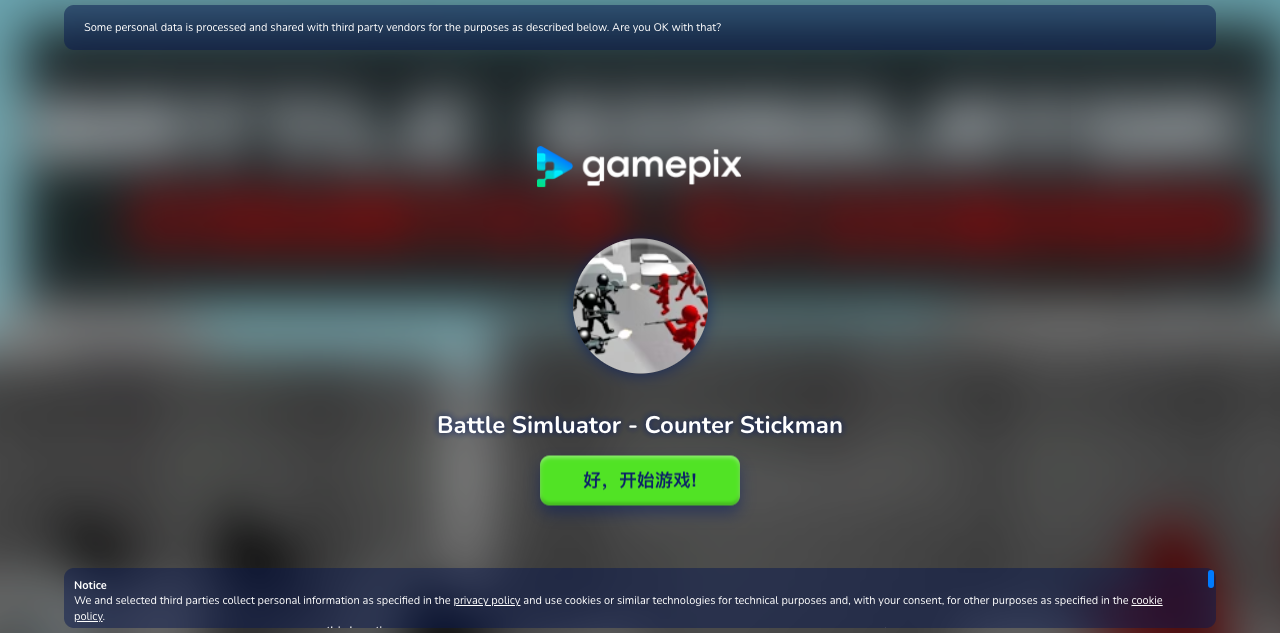
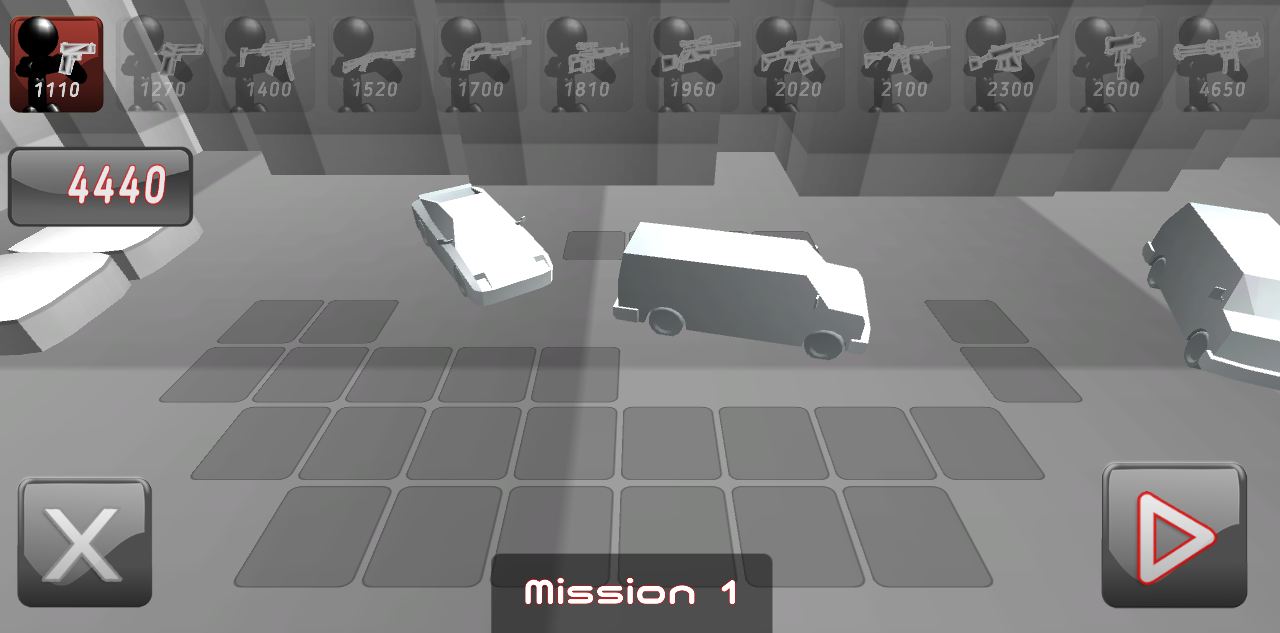
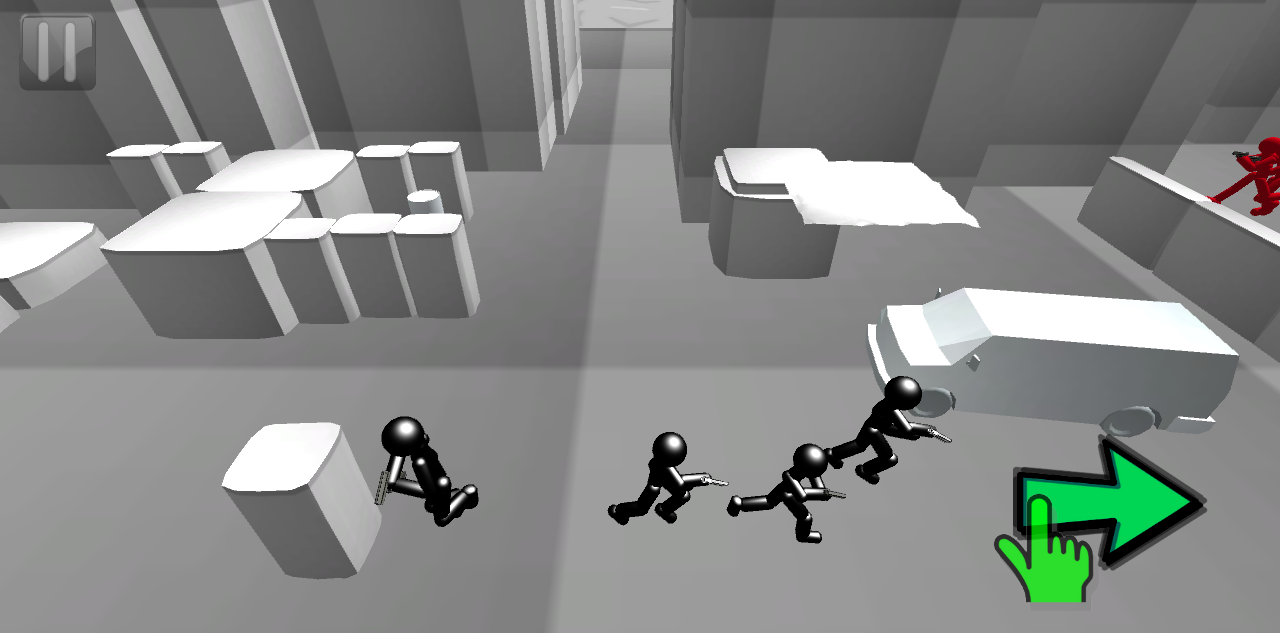
Screenshots captured during our hands-on playtest via the GamePix embed on 2026-04-23. All game assets copyright © Yuriy Nikshych / Melior Games. Used for editorial review purposes only.
How to Play
Use your mouse, keyboard, or touch controls to play this game. Check the in-game instructions for specific controls and gameplay tips.
Game Info
- Category:
- action
- Resolution:
- 800 × 600
- Platform:
- Web Browser
- Price:
- Free


More action Games
View All action Games →Discover more amazing action games like Battle Simluator - Counter Stickman. All games are free to play online with no downloads required.



Looking for more action games? Explore our collection of free action games including Alpha Guns, Body Drop 3D, Commando Force 2 and more. Play instantly in your browser with no registration required.
🎮 More Games You'll Love
More action Games
Discover more amazing action games like Battle Simluator - Counter Stickman. All games are free to play with no downloads required.
Trending Games
Check out these popular games that other players are loving right now!
Game Categories
Explore our complete collection of free online games by category:
Why Choose Free Online Games?
Instant Play: No downloads, no registration, no waiting. Just click and play!
Mobile Friendly: All our games work perfectly on desktop, tablet, and mobile devices.
Always Free: Every game on our site is completely free to play, forever.
Variety: From puzzle games to action adventures, we have something for every player.