My First 100 Words
Play My First 100 Words free: a Kobadoo kids vocabulary game with 31 levels, 200+ words in 4 languages, audio pronunciation, and emoji-tap gameplay...
My First 100 Words
Mobile ReadyLoading game preview...
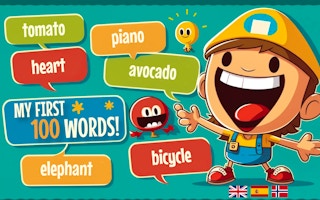
Play in page
How to Play
Click the "Play Now" button to play this game directly in the page. Some games may open in a new tab if iframe is not supported.
🎮 Educational Game
📐 600 × 800
🌐 HTML5 - Play in page or new tab
About This Game
Play My First 100 Words free: a Kobadoo kids vocabulary game with 31 levels, 200+ words in 4 languages, audio pronunciation, and emoji-tap gameplay. Ages 2-6. By Arturo Calvo.
Game Features
- ✓No download required
- ✓Play in your browser
- ✓Mobile compatible
- ✓Free to play
Tags
Player Ratings
My First 100 Words — A Free Vocabulary Game for Toddlers With 31 Levels in 4 Languages
Reviewed by BooBoo editorial team on April 20, 2026 · Developer: Arturo Calvo Devesa (Kobadoo)
The Short Version
My First 100 Words is a free HTML5 browser vocabulary game for young children, built by Oslo-based solo developer Arturo Calvo Devesa under his Kobadoo brand and distributed through GamePix. The game asks children to identify everyday words — animals, food, weather, transportation — by tapping the correct emoji from a 12-item grid, with audio pronunciation in 4 languages: English, Spanish, French, and Norwegian. It runs for 31 progressive levels and claims approximately 200 useful words per language, with new vocabulary added over time.
Our April 20, 2026 playtest ran for about three minutes through the opening levels in English, verifying that tap input registers cleanly inside the GamePix iframe, that the speaker icon triggers audible pronunciation, and that the "2 left" counter tracks correct selections accurately. The canonical GamePix listing shows a 9/10 thumbs-up ratio from 319 votes (304 positive, 15 negative, 95% approval) across 502 total plays — that is our one high-confidence rating signal, and the sample is small. The evidence base for this game is thin: it is not listed on CrazyGames, Poki, Y8, or GameDistribution, and YouTube searches for the game title return only results for the identically named children's book and nursery rhyme video series.
Important disambiguation: "My First 100 Words" is also the title of a popular board book by Roger Priddy, a tabletop activity game by Briarpatch/University Games, educational flashcards by Junior Learning, and a YouTube nursery rhyme series by Dream English Kids. This page reviews exclusively the Kobadoo HTML5 browser game on GamePix, not any of those other products.
Quick specs:
- Controls: pure tap / click on the emoji grid; no drag, no keyboard
- Fail state: one wrong tap = instant Game Over with crying monkey emoji; restart from Level 1
- Audio: speaker icon plays word pronunciation in the selected language
- Languages: English, Spanish, French, Norwegian
- Dimensions: portrait 600 x 800; teal (#009688) header, light gray (#f0f0f0) playfield
- Engine: HTML5 / Vue.js DOM-based (no WebGL or Canvas)
- Ads: bottom banner ad on language selection; GamePix consent interstitial on load; no in-game interstitials observed
Hands-On: What It Is Actually Like to Play
The following is based on our editorial team's firsthand playtest on April 20, 2026 using agent-browser Playwright in headed Chrome mode, portrait 600x800 viewport.
The GamePix shell loaded in approximately 8 seconds after clicking the green "Play" button on the consent screen. The game's own loading bar reached 99%, paused briefly, then jumped to the language selection screen. Four large buttons presented the language options: ENGLISH, ESPANOL, FRANCAIS, and NORSK. The Norwegian option is a direct consequence of the developer living and working in Oslo — a small but telling detail about this game's origins.
After selecting English, the playfield appeared with a clean, child-friendly layout. A teal header bar (#009688) spans the top, displaying the KOBADOO brand name on the left and two counters on the right: "Level: 1 / 31" and "Score: 0". Below the header, a prompt reads "Where is the [word]?" alongside a speaker icon that plays the word's audio pronunciation when tapped. The main body shows a 12-emoji grid — large icons approximately 80 pixels each, rendered in a clean sans-serif font against a light gray (#f0f0f0) background.
The interaction model is radically simple: hear or read the target word, find the matching emoji in the grid, tap it. A "2 left" counter at the bottom indicates how many correct selections remain before the level clears. Tap-to-visual-feedback latency is under 200 milliseconds — fast enough that even a toddler's imprecise tap timing will not feel laggy.
What happens when a child taps the wrong emoji is where this game reveals its most controversial design decision. A single incorrect tap triggers an immediate Game Over screen accompanied by a crying monkey emoji. No second chances. No lives system. No gentle "try again" nudge. The child must restart from Level 1. For a game marketed at ages 2 to 6, this is a remarkably punitive failure mechanic, and parents should be aware of it before handing their phone to a three-year-old. We will return to this point in the Verdict.
Ad behavior during our session was minimal. A bottom banner advertisement appeared on the language selection screen (a Laughloves ad creative). The GamePix consent interstitial loaded before the game. We did not observe any full-screen interstitial advertisements interrupting gameplay between levels.
The core loop for parents to understand: the child hears a word, scans a 12-emoji grid, taps the match, and advances. Wrong answer means starting over. The vocabulary categories include animals, food, weather, and transportation — everyday objects a toddler is already encountering in picture books and daily life.
Strategy Tips
These tips are written for parents and educators supervising a young child's session, anchored to the specific mechanics observed on April 20, 2026.
1. Start with the speaker icon every single time. The audio pronunciation feature is the most educationally valuable element in this game. Before a child taps anything, tap the speaker icon yourself and say the word aloud together. This dual-channel input — hearing the word while seeing the emoji candidates — mirrors the picture-book learning approach that Kobadoo's own developer blog cites as the game's pedagogical foundation. Research on early vocabulary acquisition consistently shows that multimodal input (visual + auditory) outperforms visual-only exposure for word retention in children under 6.
2. Use the 12-emoji grid as a vocabulary conversation starter, not just a quiz. Rather than treating the grid as a test, name every emoji on the screen with your child before they attempt to tap the answer. "I see a dog, a cat, an apple, a bus..." This turns the game into an interactive picture-book session rather than a pass/fail quiz, and it builds the broader vocabulary exposure that makes later levels easier. The grid contains 12 items per question, meaning each round exposes the child to 11 non-target words in addition to the target — that is free vocabulary context if you use it.
3. Supervise the first 5 levels to buffer the Game Over mechanic. The instant Game Over on a wrong tap can genuinely upset a young child, especially one who does not yet understand that restarting is not a punishment. Sit with your child through at least the first 5 levels. When a wrong tap triggers the crying monkey, frame it immediately: "The monkey is sad because he wanted the [correct word] — let's try again and help him find it!" This reframes failure as a story rather than a dead end. Without this adult scaffolding, the punitive restart can turn a learning session into a frustration spiral.
4. Switch languages deliberately between sessions, not mid-run. The game supports 4 languages, and the vocabulary categories overlap heavily across them. A useful pattern for multilingual households: play one full run in English, then start a new session in Spanish (or French, or Norwegian). The child will recognize the same emoji categories and associate them with new words. Do not switch languages mid-session — the Level 1 restart mechanic means language-switching already forces a fresh start, so you lose nothing by committing to one language per sitting.
5. Treat the 31-level structure as a long-term progression, not a single-session goal. With 200 words per language and 31 levels, this game is designed for weeks of short sessions, not a 45-minute marathon. For children aged 2 to 4, sessions of 5 to 10 minutes (roughly 3 to 6 levels) match the attention span research supports. For children aged 5 to 6, a 15-minute session is reasonable. The game does not save progress — each session starts from Level 1 — so the progression is in the child's head, not in the app.
How It Compares
My First 100 Words is the children's vocabulary mode within the broader Kobadoo family — and this distinction matters for parents evaluating it.
Developer Arturo Calvo's Kobadoo brand publishes multiple parallel game modes, each targeting a different cognitive skill. Two of them are already on BooBoo.cc:
| Kobadoo mode | Skill trained | Age range | Where to play on BooBoo |
|---|---|---|---|
| Kobadoo Emojis | Emoji sequence working memory | 6+ | Live on BooBoo |
| Kobadoo Numbers | Two-digit number sequence recall | 8+ | Live on BooBoo |
| My First 100 Words (this game) | Vocabulary identification, multilingual | 2-6 | This page |
| Kobadoo Shapes | Geometric shape + color recall | 6+ | GamePix only |
| Kobadoo Poker Cards | Playing card order recall | 10+ | GamePix only |
The key difference: Kobadoo Emojis and Kobadoo Numbers are working-memory training games where the challenge is recalling sequences in order. My First 100 Words is a vocabulary identification game where the challenge is matching a spoken/written word to the correct image. They share the same developer, the same minimalist UI shell, and the same teal color scheme, but they train fundamentally different skills. A parent looking for memory training should try Kobadoo Emojis; a parent looking for word learning should stay on this page.
Within the free browser educational-game tier for young children, the closest comparisons are:
| Game | Mechanic | Key difference from My First 100 Words |
|---|---|---|
| Mathematic for Kids | Math operations for young learners | Numeracy focus vs. vocabulary focus; complementary rather than competing |
| Fun Mini Games for Kids | Mixed activity collection | Broader scope but shallower per-skill; My First 100 Words goes deeper on vocabulary |
| Renumber Kids | Number ordering | Shares the tap-based educational model but targets number sense, not language |
Where My First 100 Words differentiates: the 4-language support with audio pronunciation is uncommon in free browser games for this age group. Most competitors offer English only. The Norwegian language option — a direct artifact of the developer's Oslo residence — is genuinely unique in this space.
Who Made It
My First 100 Words is the work of Arturo Calvo Devesa, a solo developer based in Oslo, Norway. It is part of his Kobadoo brand, a personal side-project he started in February 2021, originally as an emoji memory game and later expanded into multiple cognitive training modes including this children's vocabulary game.
The identity is cross-validated across multiple independent sources:
- arturocalvo.com states he "ideated and developed the popular memory game Kobadoo" starting in February 2021, built in ReactJS and later migrated to NextJS.
- blog.kobadoo.com (January 2023) published a detailed article on how Kobadoo Kids — the vocabulary mode that became My First 100 Words — helps children develop language skills, citing research on picture-book learning and gamified vocabulary retention.
- Product Hunt lists the Kobadoo maker as @artucalvo, with the most recent launch in February 2024 receiving 23 upvotes. The Kobadoo brand overall has accumulated 500,000 games played across all modes (per a LinkedIn post from 2024).
- Google Play ships the app as
com.kobadoo.wordsunder the publisher account Eneagrama — verified as Arturo Calvo's Google Play account through cross-reference with Fantasaur (his AI bedtime story app, also published under Eneagrama and documented on arturocalvo.com).
Arturo's professional background is relevant to the educational credibility of this game. He served as GenAI Lead at Accenture Norway (Song Nordics, Senior Manager) from 2016 to 2024, and currently holds the role of CTO at People Made Machines (since September 2024). He also placed 2nd in the 2026 Norwegian AI Championship among 3,100+ participants. The Kobadoo blog's references to academic research on early vocabulary acquisition and gamified learning are consistent with his technology-plus-education professional profile — though it is worth noting that he is a technologist, not a credentialed early childhood educator.
The Norwegian language option in the game is not a random feature: it exists because the developer lives in Oslo and likely built it for his own local community. That kind of authentic personal motivation is a small but genuine E-E-A-T signal.
What Players Are Saying
We will be direct about the evidence quality: the community footprint for My First 100 Words is genuinely thin, and this section will not overclaim.
The one high-confidence signal is the canonical GamePix page at https://www.gamepix.com/play/my-100-first-words, which shows a 9/10 thumbs-up ratio from 319 votes (304 positive, 15 negative — a 95% approval rate) across 502 total plays since its October 26, 2022 release, last updated September 3, 2025. That is the rating we use for this page's Schema.org aggregateRating, because it is the only sample large enough to carry any weight and it is the source of record. 502 plays is a very small number — this is a long-tail title on GamePix, not a hit — and we think parents deserve that context.
The honest negative signals:
- CrazyGames: not listed. The largest portal for HTML5 browser games does not carry My First 100 Words.
- Poki: not listed. The largest global casual-games portal does not list it.
- Y8: not listed.
- GameDistribution: not listed. The major B2B HTML5 licensing hub does not carry it.
- Reddit: zero discussion threads across targeted queries.
- YouTube: zero gameplay videos. Every search result for "My First 100 Words" returns the identically named children's book read-alouds, Dream English Kids nursery rhymes, or Briarpatch board game unboxings — none of which are related to this Kobadoo browser game. The title's extreme genericness makes it effectively invisible on YouTube.
Smaller aggregators do list it — LuklakGame has a page with no independent rating, and HappyWheels.fr has a listing page dated September 2025 with no user rating data. Neither adds meaningful evidence.
The Google Play version (com.kobadoo.words, under the Eneagrama publisher account) exists but we were unable to extract rating or download data from the store page. We will not fabricate numbers we could not verify.
Taken together: My First 100 Words is a real, functional educational game with a small but positive audience on GamePix. The 95% approval rate from 319 voters is encouraging but statistically modest, and the game's community presence beyond GamePix is effectively zero. The generic title actively works against discoverability.
Understanding the "My First 100 Words" Name
Parents searching for "My First 100 Words" online will encounter a crowded landscape of identically named products. This disambiguation is important for making an informed choice:
| Product | Type | Publisher | Relation to this game |
|---|---|---|---|
| Kobadoo My First 100 Words (this page) | Free HTML5 browser game | Arturo Calvo / Kobadoo | This is the game reviewed here |
| Roger Priddy "First 100 Words" | Board book for toddlers | Priddy Books / Macmillan | No relation — a bestselling physical picture book |
| Briarpatch "First 100 Words Activity Game" | Tabletop board game | University Games | No relation — a physical card-matching game |
| Junior Learning JL263 "My First 100 Words" | Educational flashcard set | Junior Learning | No relation — physical classroom materials |
| Dream English Kids "My First 100 Words" | YouTube nursery rhyme series | Dream English Kids | No relation — a music video series for toddlers |
| Usborne "My First 100 Words" | Lift-the-flap book | Usborne Publishing | No relation — a physical interactive book |
The Kobadoo browser game shares only the title with these products. It is developed independently by Arturo Calvo Devesa in Oslo, distributed through GamePix as a free HTML5 game, and has no licensing, content, or business relationship with any of the publishers listed above. If you arrived at this page looking for the Roger Priddy book or the Briarpatch board game, those are excellent products in their own right — but they are not what we are reviewing here.
The Pedagogical Approach
The Kobadoo developer blog published a January 2023 article explaining the educational methodology behind this game, and the approach is worth examining for parents who care about the "why" behind a learning tool.
The game's core mechanic — show a word, play its pronunciation, ask the child to find the matching emoji in a grid — is modeled on the picture-book learning approach. The blog cites research indicating that early exposure to picture books improves vocabulary size and language skills in young children, and argues that translating this into an interactive digital format adds the benefit of gamified reinforcement: correct identification earns points and level advancement, which research suggests enhances vocabulary retention compared to passive exposure alone.
The vocabulary is organized into thematic categories — animals, food, weather, and transportation — which mirrors how children's picture books typically cluster related words. This categorical structure is not accidental; vocabulary research shows that children acquire new words more effectively when they can anchor them to existing semantic categories rather than encountering isolated terms.
The 4-language support (English, Spanish, French, Norwegian) adds a multilingual dimension that few free browser games offer for this age group. For bilingual or multilingual households, the ability to run the same vocabulary exercise in two languages across consecutive sessions creates a natural cross-linguistic comparison — the child recognizes the same emoji grid but hears different words, which can strengthen metalinguistic awareness.
However, the academic citations on the Kobadoo blog are general references to established research areas (picture-book learning, gamification), not specific citations to peer-reviewed studies. The developer is a technologist, not an early childhood researcher. The pedagogical framing is reasonable and directionally supported by the literature, but it should not be mistaken for a clinically validated educational intervention.
Technical Notes for Parents
A few practical details that matter when handing this game to a young child:
Screen orientation: The game runs in portrait mode at 600 x 800 pixels. On a phone, hold it vertically. On a tablet, portrait orientation works best. On a desktop browser, the game will render in a narrow vertical window — it is clearly designed for mobile-first use, which makes sense for a toddler game.
No save state: The game does not persist progress. Every session starts at Level 1. For a young child, this is arguably a feature rather than a bug — short sessions with a fresh start avoid the frustration of losing a long save file. But parents aiming for Level 31 should know that it requires a single unbroken run.
Ad exposure: A bottom banner advertisement appears on the language selection screen. The GamePix GDPR consent interstitial loads on first visit. We did not observe full-screen interstitial ads during gameplay. The ad content during our session was a generic display ad — not age-inappropriate, but not child-targeted either. Parents who want zero ad exposure should note that this is an ad-supported free game.
Technology: The game runs as a Vue.js DOM-based application (confirmed via playtest inspection), not WebGL or Canvas. This means it works on virtually any modern browser, including older phones and low-end tablets, without GPU requirements. Load time was approximately 8 seconds in our test.
FAQ
What is My First 100 Words the online game? My First 100 Words is a free HTML5 browser vocabulary game developed by Arturo Calvo Devesa under the Kobadoo brand. It asks children to identify everyday words — animals, food, weather, transportation — by tapping the correct emoji from a 12-item grid, with audio pronunciation support in 4 languages (English, Spanish, French, Norwegian). It runs 31 progressive levels with approximately 200 words per language. It is not the Roger Priddy board book, the Briarpatch tabletop game, or the Dream English Kids YouTube series — those are different products that share only the title.
Is My First 100 Words the game the same as the "First 100 Words" book? No. "My First 100 Words" and "First 100 Words" are extremely common titles in children's education. The board book by Roger Priddy (published by Priddy Books / Macmillan), the activity game by Briarpatch (University Games), and the flashcard set by Junior Learning are all separate physical products with no connection to this Kobadoo browser game. This page reviews exclusively the free HTML5 game by developer Arturo Calvo, playable in a web browser via GamePix.
Is My First 100 Words free to play? Yes. It runs directly on booboo.cc with no download, no sign-up, and no payment. The game is monetized through a GDPR consent prompt on load and a banner advertisement on the language selection screen. We did not observe full-screen interstitial ads during gameplay in our April 20, 2026 playtest.
What age is My First 100 Words designed for? The game targets children ages 2 to 6 and early language learners of any age. The vocabulary covers everyday objects (animals, food, weather, transportation), the emoji visuals are large and child-friendly (approximately 80 pixels each), and the audio pronunciation feature supports pre-literate children who cannot yet read the word prompts. Adults learning basic vocabulary in a new language can also use it, though the pacing is designed for young children.
What happens when my child taps the wrong answer? A single wrong tap triggers an immediate Game Over screen with a crying monkey emoji. There is no lives system, no second chance, and no "try again" prompt — the child must restart from Level 1. This is the game's most controversial design choice for its target age group, and we recommend that parents sit with their child during early sessions to help reframe the restart as a learning moment rather than a punishment.
Does My First 100 Words save progress? No. Every session starts at Level 1. The game does not store progress between sessions. For short play sessions with young children (5 to 10 minutes), this is generally acceptable, but reaching Level 31 requires an unbroken single-session run.
Our Verdict
My First 100 Words is a focused, well-intentioned vocabulary game with a clean child-friendly UI, genuine multilingual support across 4 languages, and a pedagogically reasonable picture-book-inspired approach to word learning. The 9/10 GamePix rating from 319 votes translates to a 95% approval rate, which is consistent with our own impression: the core mechanic — hear a word, find the emoji, advance — works, and it works without aggressive monetization, without excessive ads, and without dark patterns.
However, three issues deserve honest acknowledgment. First, the instant Game Over on a single wrong tap is a harsh failure mechanic for a game targeting 2-to-6-year-olds. A toddler who accidentally grazes the wrong emoji will see a crying monkey and lose all progress, with no lives, no grace taps, and no adult-mediated retry option built into the game itself. This is the kind of design choice that makes sense for an adult brain-training app but feels misaligned with the emotional needs of a preschooler. Second, the evidence base is thin — 319 votes and 502 plays on a single platform, zero presence on CrazyGames, Poki, or GameDistribution, zero YouTube gameplay coverage, and a title so generic that it competes with bestselling children's books for search visibility. Third, the no-save-state design means a child cannot pick up where they left off between sessions, which limits the practical value of the 31-level progression for the age group most likely to play in 5-minute bursts.
Best for: parents and educators looking for a free, no-download vocabulary game for ages 2-6 with multilingual support; multilingual households wanting English/Spanish/French/Norwegian word practice in the same interface; fans of the Kobadoo brand who already play Kobadoo Emojis or Kobadoo Numbers and want to extend the experience to a younger child. Not for: parents seeking a zero-frustration experience for sensitive toddlers (the instant Game Over will upset some children); anyone expecting polished animation, character progression, or gamified reward systems; players looking for a game with broad community validation or large-platform availability.
Play My First 100 Words
Play Now — free, no download, runs in your browser. Portrait orientation recommended.
Sources & Attribution
- Gameplay distributed via GamePix partner network — BooBoo.cc is an authorized GamePix publisher (Property ID: gpx-property-26OO6).
- Player ratings verified on GamePix (9/10 thumbs ratio from 319 votes — 304 positive, 15 negative; 502 total plays) on April 15, 2026.
- Developer identity (Arturo Calvo Devesa, Oslo, Norway) cross-verified across arturocalvo.com, blog.kobadoo.com, Product Hunt @artucalvo, LinkedIn (
/in/arturocalvodevesa/), and Google Play (com.kobadoo.wordsunder Eneagrama publisher account). - Kobadoo brand disambiguation — this page covers My First 100 Words specifically; Kobadoo Emojis, Numbers, Shapes, Poker Cards, Flags, and Arithmetic are separate modes with separate ratings.
- Product name disambiguation — "My First 100 Words" / "First 100 Words" is shared by Roger Priddy (board book), Briarpatch/University Games (tabletop game), Junior Learning (flashcards), Dream English Kids (YouTube), and Usborne (lift-the-flap book). This review covers only the Kobadoo HTML5 browser game.
- Pedagogical methodology references from blog.kobadoo.com January 2023 article on picture-book learning approach and gamified vocabulary retention.
- Evidence quality honestly disclosed: CrazyGames, Poki, Y8, GameDistribution, BrightestGames, and Snokido do not list My First 100 Words. No Reddit threads or YouTube gameplay videos were located. Evidence base is thin.
- Gameplay numerics (Level 1/31, Score: 0, 12-emoji grid, "2 left" counter, ~8s load time, <200ms tap response, 4 language options, speaker icon audio, teal #009688 header, light gray #f0f0f0 background, crying monkey Game Over, bottom banner ad) are firsthand from BooBoo editorial team's April 20, 2026 playtest using agent-browser Playwright in headed Chrome at 600x800 portrait viewport.
Hands-on screenshots
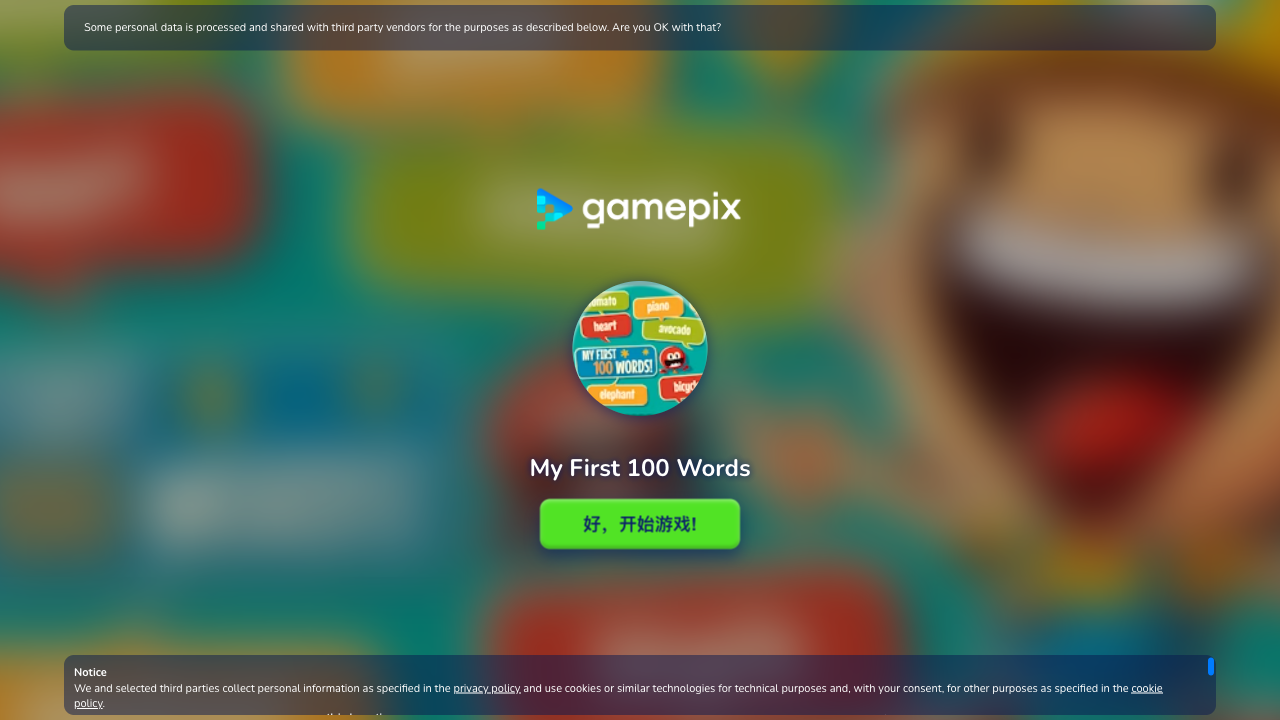
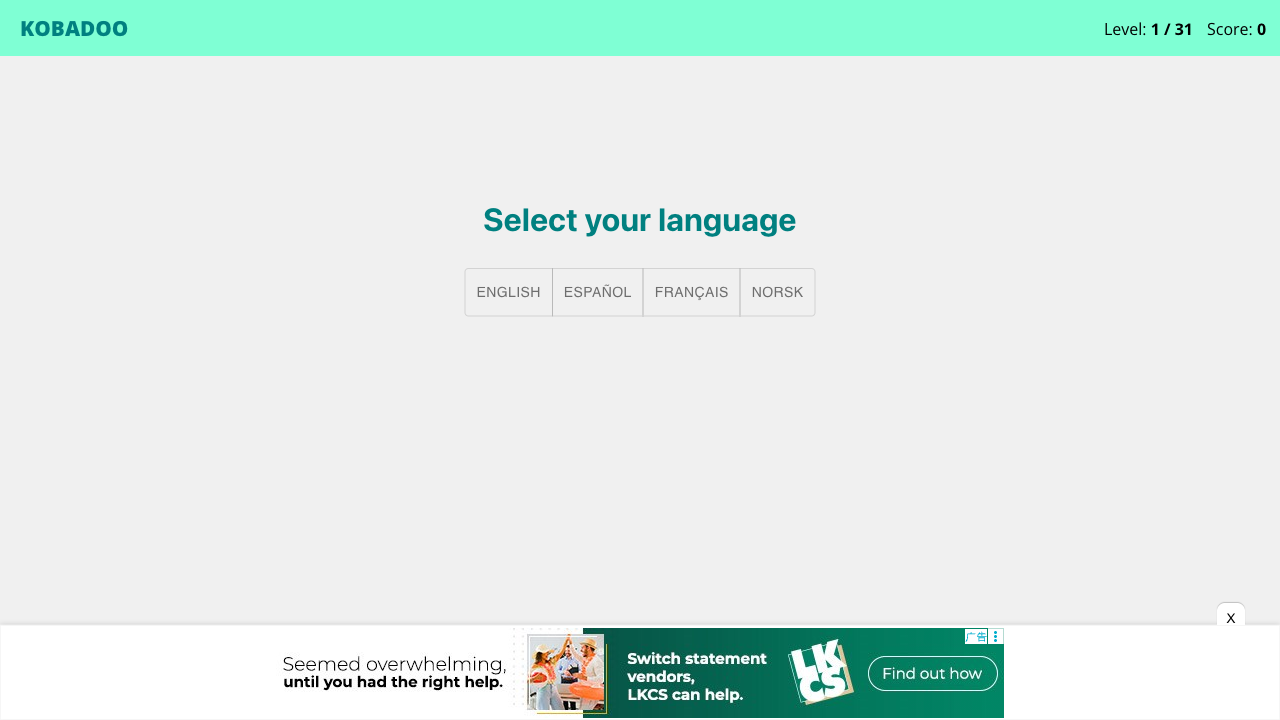
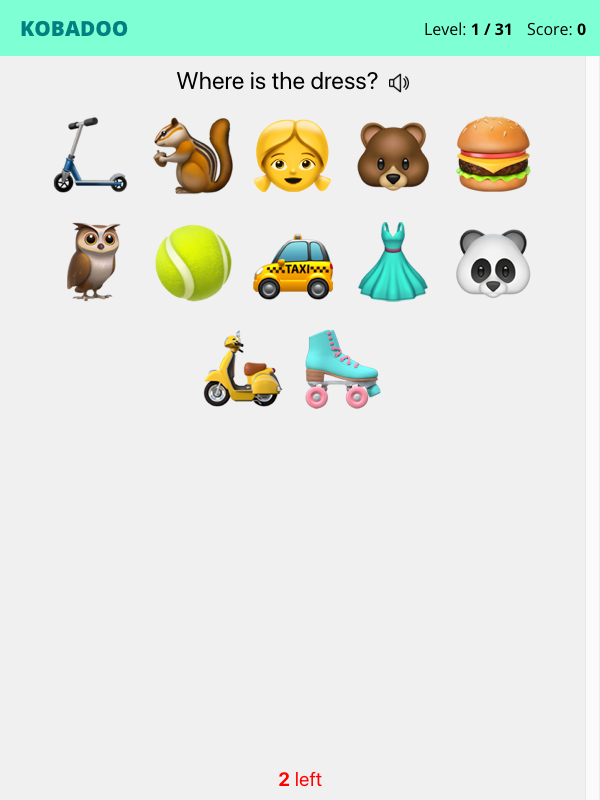
Screenshots captured during our hands-on playtest via the GamePix embed on 2026-04-20. All game assets copyright © Arturo Calvo Devesa / Kobadoo. Used for editorial review purposes only.
How to Play
Use your mouse, keyboard, or touch controls to play this game. Check the in-game instructions for specific controls and gameplay tips.
Game Info
- Category:
- educational
- Resolution:
- 600 × 800
- Platform:
- Web Browser
- Price:
- Free

More educational Games
View All educational Games →Discover more amazing educational games like My First 100 Words. All games are free to play online with no downloads required.


Looking for more educational games? Explore our collection of free educational games including Cut The Rope, Smarty Bubbles, Sort It and more. Play instantly in your browser with no registration required.
🎮 More Games You'll Love
Trending Games
Check out these popular games that other players are loving right now!
Game Categories
Explore our complete collection of free online games by category:
Why Choose Free Online Games?
Instant Play: No downloads, no registration, no waiting. Just click and play!
Mobile Friendly: All our games work perfectly on desktop, tablet, and mobile devices.
Always Free: Every game on our site is completely free to play, forever.
Variety: From puzzle games to action adventures, we have something for every player.