Drive Crazy
Play Drive Crazy free online. Navigate a voxel-style monster truck across platforms, bridges, and obstacles in this physics-based 3D driving game. ...
Drive Crazy
Mobile ReadyLoading game preview...
Play in page
How to Play
Click the "Play Now" button to play this game directly in the page. Some games may open in a new tab if iframe is not supported.
🎮 Adventure Game
📐 800 × 600
🌐 HTML5 - Play in page or new tab
About This Game
Play Drive Crazy free online. Navigate a voxel-style monster truck across platforms, bridges, and obstacles in this physics-based 3D driving game. Level-based with left/right controls.
Game Features
- ✓No download required
- ✓Play in your browser
- ✓Mobile compatible
- ✓Free to play
Tags
Player Ratings
Drive Crazy — Navigate a Blocky Monster Truck Across Obstacle-Filled Platforms
Reviewed by BooBoo editorial team on May 18, 2026 · Developer: Unknown (GamePix distribution)
Introduction
Drive Crazy is a free browser-based 3D driving game where you control a yellow voxel-style monster truck across narrow platforms, wooden bridges, and brick wall obstacles. Each level is a short physics puzzle: reach the checkered finish area without falling off the edge or getting stuck. The game uses left and right arrow controls — click or tap the on-screen chevrons to move the truck forward or backward across increasingly difficult terrain.
On GamePix, the game holds an 8.6/10 rating from 2,375 votes with 88% approval. It was first published on January 4, 2023, with a last update on April 1, 2025. The game runs on WebGL and supports desktop, tablet, and mobile browsers in landscape orientation.
Quick specs:
- Controls: on-screen left (<) and right (>) arrow buttons; click-and-hold to drive
- Level-based progression starting at "Lv. 1"
- Physics-based truck movement with suspension and tilt
- 3D voxel/low-poly art style with bright colors
- Interstitial video ads between levels
- WebGL required, landscape 800 x 600, no account needed
- Released January 2023, last updated April 2025
Hands-On: What It's Actually Like to Play
The following is based on our editorial team's firsthand playtest on May 18, 2026 using HeadlessChrome/148.0.0.0 via CDP with WebGL confirmed before launch (Metal ANGLE backend).
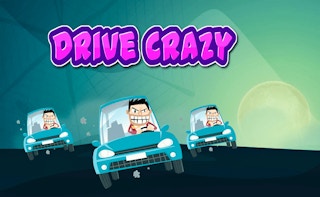
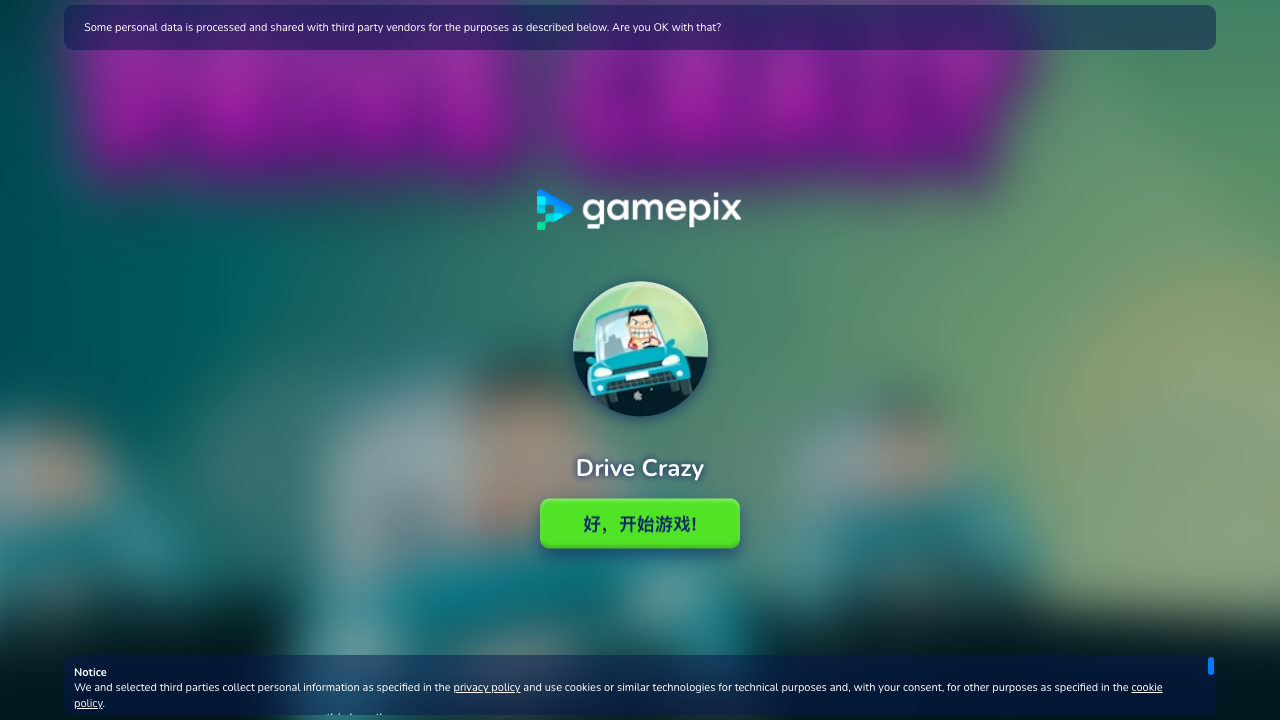
The GamePix embed presents a loader screen with the game icon — a cartoon character sitting in a teal car — and the title "Drive Crazy" below the GamePix logo. A GDPR consent banner from iubenda appears at the top and bottom of the screen, requiring an "Accept" click before proceeding. After accepting cookies and clicking the green "好,开始游戏!" (OK, start game!) button, the game enters a loading sequence.
Loading progressed through three visible phases: a percentage counter (observed at 23%), an "Initializing services..." status, and a "Starting the game..." status. The entire cold-start from button click to gameplay took approximately 25 seconds, with a significant chunk spent on ad SDK initialization (Prebid header bidding with GPT/Google Publisher Tags).
Once loaded, "Lv. 1" appears in red text at the top center of the screen. The scene shows a yellow blocky monster truck with oversized black wheels sitting on a bright green grass platform. Blue geometric mountains form the background, white clouds float above, and glowing cyan water borders the platform edges. A brown brick wall marks the level boundary on one side. The HUD consists of a white pause button (||) in the top-left corner and grey semi-transparent left (<) and right (>) arrow chevrons on each side of the screen.
Level 1 is trivially short. Holding the right arrow for about 3 seconds drives the truck straight to the finish. Upon reaching the end, the screen displays a framed snapshot with "Good Job!" text, colorful confetti particles, and smoke effects from the truck. A red "Next Level" button appears at the bottom center.
Between Level 1 and Level 2, a YouTube-sourced interstitial video ad played for approximately 10 seconds before a "Skip Ad" button became clickable. The ad overlay included a Chinese-language "了解详情" (Learn more) link.
Level 2 introduced more complexity: the truck started on a green platform, with a wooden plank bridge section connecting to another grassy area. A brick wall blocked the forward path, and the platform narrowed with cyan water drops on both sides. The terrain variety — grass, wood planks, brick obstacles — demonstrated that later levels require more careful momentum management than the one-directional push of Level 1. Driving backward revealed the wooden bridge section had a ramp-like incline, meaning the truck's suspension and tilt physics become relevant when transitioning between surface types.
How to Play
Drive Crazy uses a two-button control scheme:
- Right arrow (>): Click and hold the right chevron on the right side of the screen to drive the truck forward.
- Left arrow (<): Click and hold the left chevron on the left side of the screen to reverse the truck.
- Pause (||): Click the pause icon in the top-left corner to pause the game.
The objective for each level is to drive the monster truck from the start position to the finish area (marked by a checkered pattern) without falling off the platform edges. The truck has physics-based movement — it has suspension, the wheels respond to terrain changes, and the body tilts on inclines. Falling into the glowing cyan water below the platforms results in a level restart.
Each level is labeled with a "Lv." number at the top of the screen. Completing a level triggers a "Good Job!" celebration with confetti, followed by a "Next Level" button. An interstitial ad typically plays between levels.
There are no visible score counters, coin systems, or unlockable vehicles in the version we tested. Progression is purely level-based.
Strategy Tips
These tips are based on what we observed and experienced during our May 18, 2026 playtest across Levels 1 and 2.
1. Do not hold the forward button continuously — pulse your input on narrow sections. On Level 2, the wooden bridge section is narrower than the starting grass platform. Holding the right arrow at full speed can cause the truck to overshoot and tilt off the edge on transitions between surface types. Short taps give you finer control over positioning, especially where the platform narrows near brick wall obstacles.
2. Use reverse to reposition before committing to a gap crossing. When the truck reaches a brick wall or a terrain transition, reversing 1-2 truck lengths gives you room to approach at a better angle. On Level 2, the truck could back up onto the wooden bridge section to line up with the grass platform on the other side of the wall.
3. Watch the truck's tilt when transitioning between surfaces. The truck visibly tilted when moving from the wooden plank bridge onto the grass platform. The suspension physics mean the front wheels can dip below the platform edge if you cross a height change too fast. Slow down at surface transitions — the truck body settling takes about half a second.
4. The cyan glow indicates a fall zone — keep the truck centered. Both sides of every platform have a glowing cyan edge that indicates water below. The truck is wide relative to the platform width on later levels, so staying centered is more important than speed. If one set of wheels touches the cyan glow, you are probably about to lose the level.
5. Level 1 is a tutorial — the real challenge starts at Level 2. Level 1 can be completed in 3 seconds by holding the right arrow. Do not expect this pacing to continue. Level 2 already introduces three terrain types (grass, wood, brick wall) and a narrower path that requires directional changes.
How It Compares
Drive Crazy occupies a niche between full racing games and physics puzzle games. The level-based obstacle course structure with a simple two-button control scheme distinguishes it from open-road racers.
| Game | Core Mechanic | Key Difference |
|---|---|---|
| Drive Crazy (this game) | Left/right driving across 3D obstacle platforms | Voxel art, level-based, two-button controls, physics-based balance |
| Drive Mad (Poki) | Forward driving across hilly terrain | Similar concept but 2D side-scroll perspective, much larger player base (2.5M+ votes) |
| Puzzle Drive (GamePix) | Physics driving with obstacle puzzles | Same physics-driving concept, different vehicle and level design |
| Monster Truck Simulator Game | Open-area monster truck stunts | Free-roam instead of level-based, stunt scoring rather than finish-line objective |
| Car Crash Test (GamePix) | Ramp launch and crash physics | Destruction sandbox with coin economy, not obstacle navigation |
The most direct comparison is Drive Mad on Poki, which uses a nearly identical premise — drive a vehicle across obstacle-filled terrain using simple controls. Drive Mad has significantly more market traction (2.5M+ player upvotes vs. Drive Crazy's 2,375 votes), a 2D perspective, and a longer track record. Drive Crazy differentiates with its 3D voxel art style and the addition of reverse controls, but players familiar with Drive Mad will find Drive Crazy's early levels less challenging.
Player Ratings
Community reception for Drive Crazy is moderately positive on its home platform but mixed elsewhere.
- GamePix: 8.6/10 from 2,375 votes, 88% approval, 1,535 plays (source). The highest rating for the game across all platforms. GamePix is the primary distribution channel.
- UFreeGames: 6.94/10 from 13,675 votes, 69.4% approval, 205,125 plays (source). Significantly lower approval rate with a much larger sample. The 30.6% negative rate suggests meaningful player dissatisfaction.
Note on play count discrepancy: GamePix reports 1,535 plays while UFreeGames reports 205,125 plays. This 130x difference likely reflects different tracking methods and syndication traffic patterns, not actual game quality differences. We cite both to show the full picture.
The game is not listed on CrazyGames, Poki, Y8 Games, GameDistribution, GameGiggle, or BrightestGames — indicating limited distribution beyond GamePix's syndication network. No Reddit discussions, YouTube gameplay videos, or blog reviews were found for this specific title.
Who Made It
The original developer of Drive Crazy could not be definitively identified. One syndication portal (Play123.com) references "Darwin7135" as a potential developer, but this could not be verified through LinkedIn, any studio website, or a second independent source.
What we can confirm:
- Distributor: GamePix S.r.l., based in Rome, Italy (company page)
- Engine: WebGL (requires Metal or hardware-accelerated GPU; software rendering fallback fails)
- First published: January 4, 2023 on GamePix
- Last updated: April 1, 2025
- Device support: Desktop, mobile, and tablet browsers in landscape orientation
The lack of verified developer attribution is a transparency gap. GamePix functions as a distribution platform for independent HTML5 game developers but does not publicly expose individual creator identities in their standard game listings.
FAQ
Is Drive Crazy free to play? Yes. Drive Crazy runs entirely in your browser with no download or account required. The game monetizes through interstitial video ads that play between levels (observed: a YouTube video ad between Level 1 and Level 2 with a "Skip Ad" button appearing after approximately 5 seconds). No in-game currency, loot boxes, or pay-to-unlock mechanics were observed during our playtest.
What are the controls for Drive Crazy? On-screen left (<) and right (>) arrow buttons. Click and hold either arrow to drive the monster truck in that direction. A pause button (||) in the top-left corner pauses the game. No keyboard controls were observed, though the game may support WASD or arrow keys on desktop — Smashy-Road.io lists WASD/arrow key support for what appears to be the same title.
Does Drive Crazy work on mobile? GamePix lists Drive Crazy as compatible with mobile, tablet, and desktop browsers. The landscape orientation and touch-based left/right controls are designed for mobile play. The game requires WebGL support, which is available on most modern mobile browsers.
How many levels does Drive Crazy have? The total level count is not displayed in the game UI. We confirmed Levels 1 and 2 during our playtest, with each level introducing new terrain types and obstacles. GamePix's description mentions "intricate tracks" and the category includes "Adventure" and "Arcade," suggesting a substantial level count.
Is Drive Crazy similar to Drive Mad? Both games share the same core concept: drive a vehicle across obstacle-filled terrain using simple controls. Drive Mad (on Poki) uses a 2D side-scrolling perspective and has a much larger player base. Drive Crazy uses 3D voxel-style graphics and adds reverse controls. If you enjoy Drive Mad and want a 3D variant, Drive Crazy is worth trying.
Verdict
Drive Crazy delivers a functional physics-based driving experience with a charming voxel art style. The core loop — drive a blocky monster truck across platforms without falling off — is immediately understandable and the two-button controls make it accessible on any device. Level 1 completion with confetti and the "Good Job!" message provides a quick dopamine hit, and the terrain variety in Level 2 (grass, wood bridges, brick walls) shows the game has room to grow in difficulty.
However, there are real downsides. The 25-second load time is long for a game where Level 1 takes 3 seconds to complete. Interstitial video ads between every level create a frustrating ratio of ad-watching to actual gameplay in the early levels. The 69.4% approval rate on UFreeGames (13,675 votes) suggests that roughly one-third of players come away dissatisfied — a number that cannot be dismissed as noise. The inability to verify the original developer is a transparency concern, and the game's absence from major platforms (CrazyGames, Poki, Y8) suggests it has not cleared the quality bar for broader distribution. Players looking for this genre are likely better served by Drive Mad on Poki, which offers a more polished experience with a proven track record.
Drive Crazy is not a bad game. It is a competent mid-tier entry in the physics-driving genre that works well for short mobile sessions. Set expectations accordingly: this is a casual time-killer, not a feature-rich driving experience.
Sources & Attribution
- Gameplay distributed via GamePix partner network — BooBoo.cc is an authorized GamePix publisher (Property ID: gpx-property-26OO6).
- Player ratings verified on GamePix on 2026-05-18.
- Developer information verified via Unknown — see the Who Made It section above.
- Screenshots and gameplay description are firsthand from BooBoo Editorial's 2026-05-18 playtest.
Hands-on screenshots
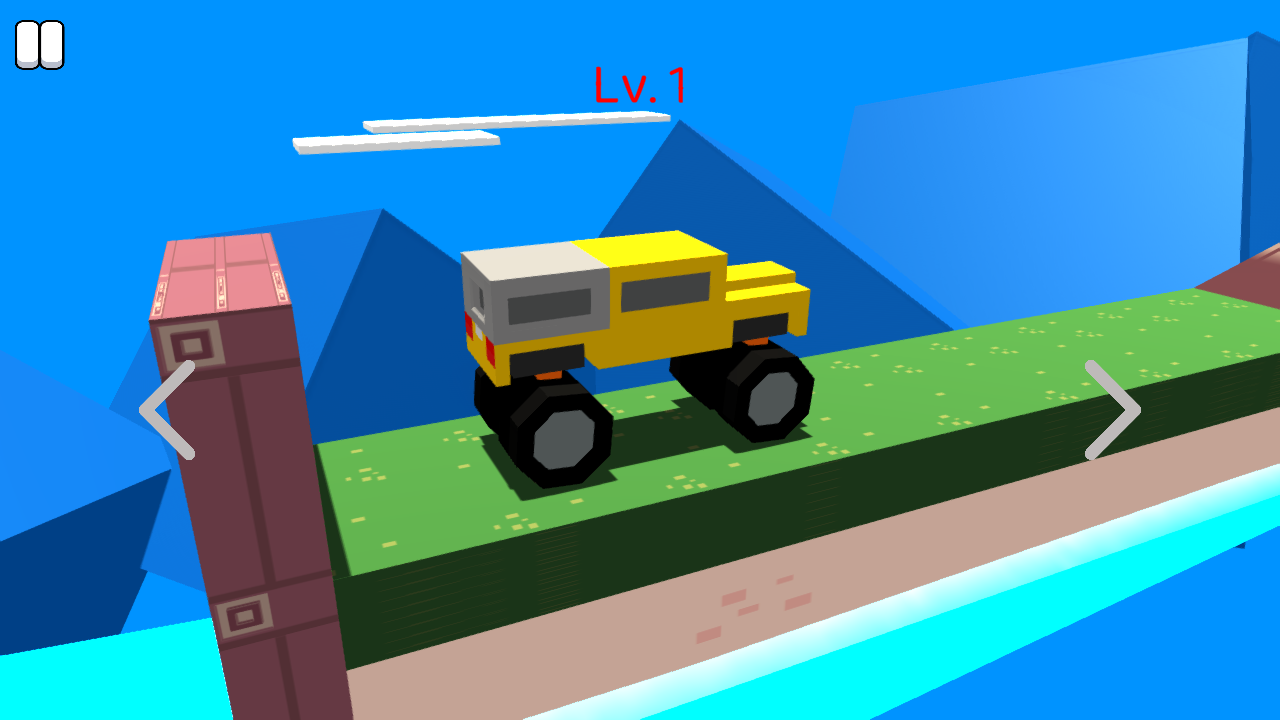
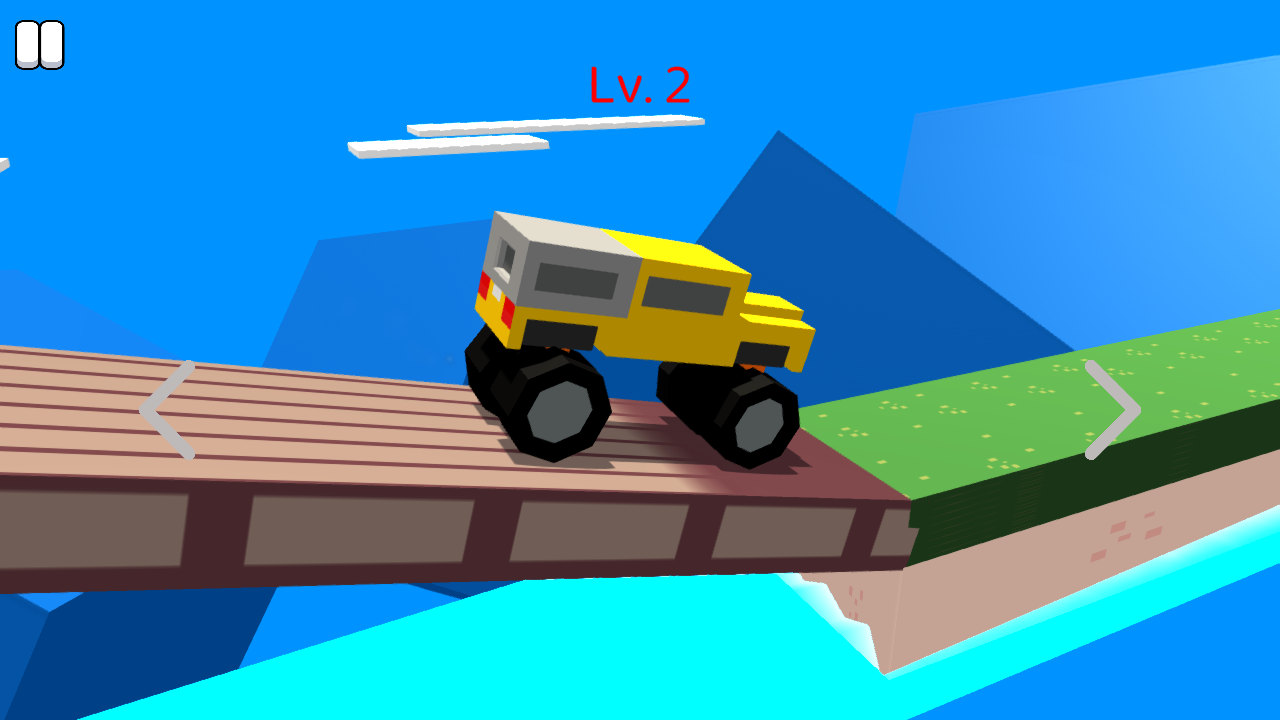
Screenshots captured during our hands-on playtest via the GamePix embed on 2026-05-18. All game assets copyright © Unknown (unverified) / Unknown. Used for editorial review purposes only.
How to Play
Use your mouse, keyboard, or touch controls to play this game. Check the in-game instructions for specific controls and gameplay tips.
Game Info
- Category:
- adventure
- Resolution:
- 800 × 600
- Platform:
- Web Browser
- Price:
- Free






More adventure Games
View All adventure Games →Discover more amazing adventure games like Drive Crazy. All games are free to play online with no downloads required.






Looking for more adventure games? Explore our collection of free adventure games including 2D Platformer Coin, Flamit, Idle Noob Lumberjack and more. Play instantly in your browser with no registration required.
🎮 More Games You'll Love
More adventure Games
Discover more amazing adventure games like Drive Crazy. All games are free to play with no downloads required.

Trending Games
Check out these popular games that other players are loving right now!
Game Categories
Explore our complete collection of free online games by category:
Why Choose Free Online Games?
Instant Play: No downloads, no registration, no waiting. Just click and play!
Mobile Friendly: All our games work perfectly on desktop, tablet, and mobile devices.
Always Free: Every game on our site is completely free to play, forever.
Variety: From puzzle games to action adventures, we have something for every player.