Bus Driver Simulator 3D: I Drove Past the Eiffel Tower in a Browser Tab
I Drove Past the Eiffel Tower in a Browser Tab
By Jason Mitchell · April 17, 2026 · Played and screenshotted by BooBoo Editorial
When I opened Bus Driver Simulator 3D expecting another flat, top-down minigame with "3D" slapped on the title for SEO, I was not prepared for what loaded in my browser tab.
This is a full Unity 3D driving simulator. Third-person camera. Real city environments. Working speedometer. Traffic. Pedestrian crosswalks. The Eiffel Tower in the distance while I'm wrestling a white downtown bus around a Parisian roundabout. All running in a Chrome tab, no download, no Steam, just a URL.
I have questions. Primarily: how is this free?
Loading: It's Unity, So Give It a Second
Fair warning — this is a Unity WebGL build, which means it's not the instant 2-second load you get from lightweight HTML5 games. Here's the sequence:
- GamePix embed splash screen (~1 second)
- Click "Start Game" → Loading bar fills to 99% with a bus logo spinner (~10 seconds)
- Main menu renders — full 3D environment with UI
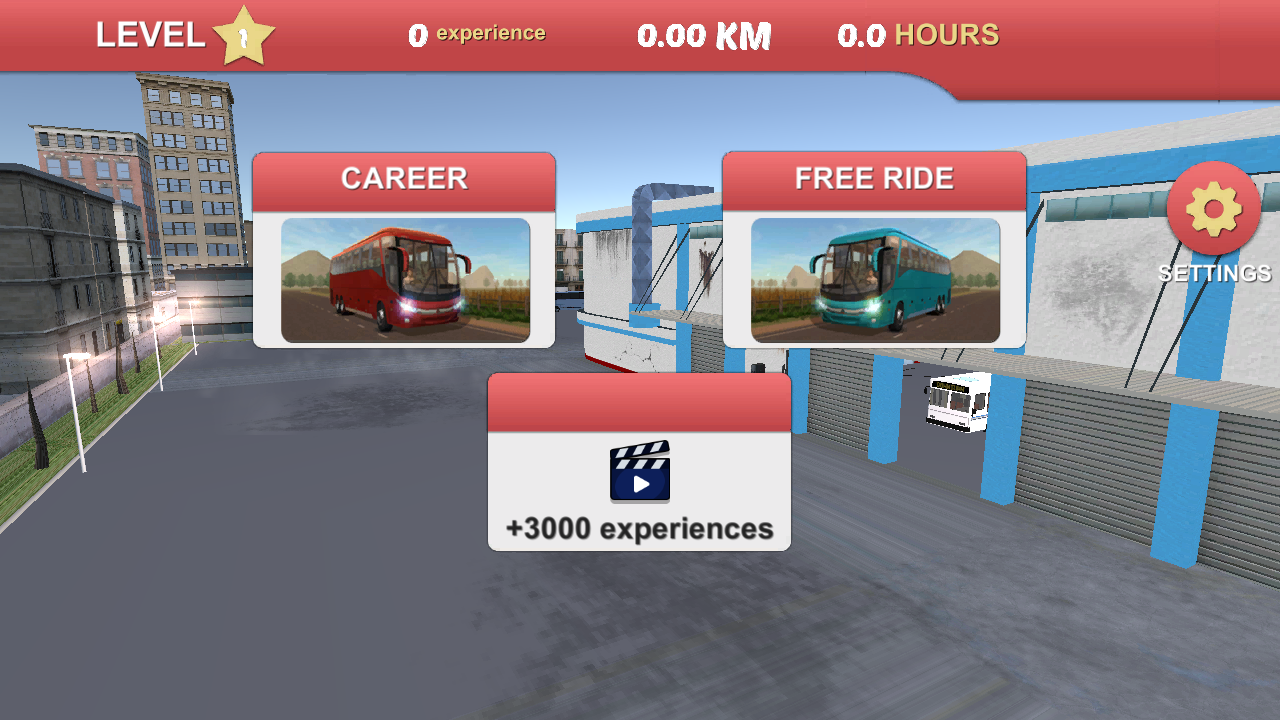 The main menu. Notice the HUD at the top showing LEVEL, experience bar, total KM, and HOURS played. This game tracks your career across sessions.
Total time from click to menu: about 15 seconds. Not instant, but once you're in, everything is smooth.
The Menu Tells You This Isn't a Toy
That main menu screenshot above? Look at the top HUD. There's a LEVEL indicator, an experience bar, a kilometers-driven counter, and an hours-played tracker. Below that, two modes: CAREER (structured missions) and FREE RIDE (sandbox exploration). A settings gear, and a "+3000 experiences" bonus box (watch an ad for a reward — the monetization model GamePix uses).
This is not a 30-second arcade game. This is a persistent simulator with progression tracking.
Free Ride Through Paris
I chose Free Ride because I wanted to see how deep the environment goes without mission constraints. The game presented me with a bus selection screen — one bus unlocked ("DOWNTOWN," a white city transit bus), with PREVIOUS/NEXT arrows suggesting more vehicles to unlock later.
Then came the map selection: PARIS, ROME, LOS ANGELES, ALASKA, BERLIN, HIGHWAY. Six maps. I picked Paris because honestly, who wouldn't.
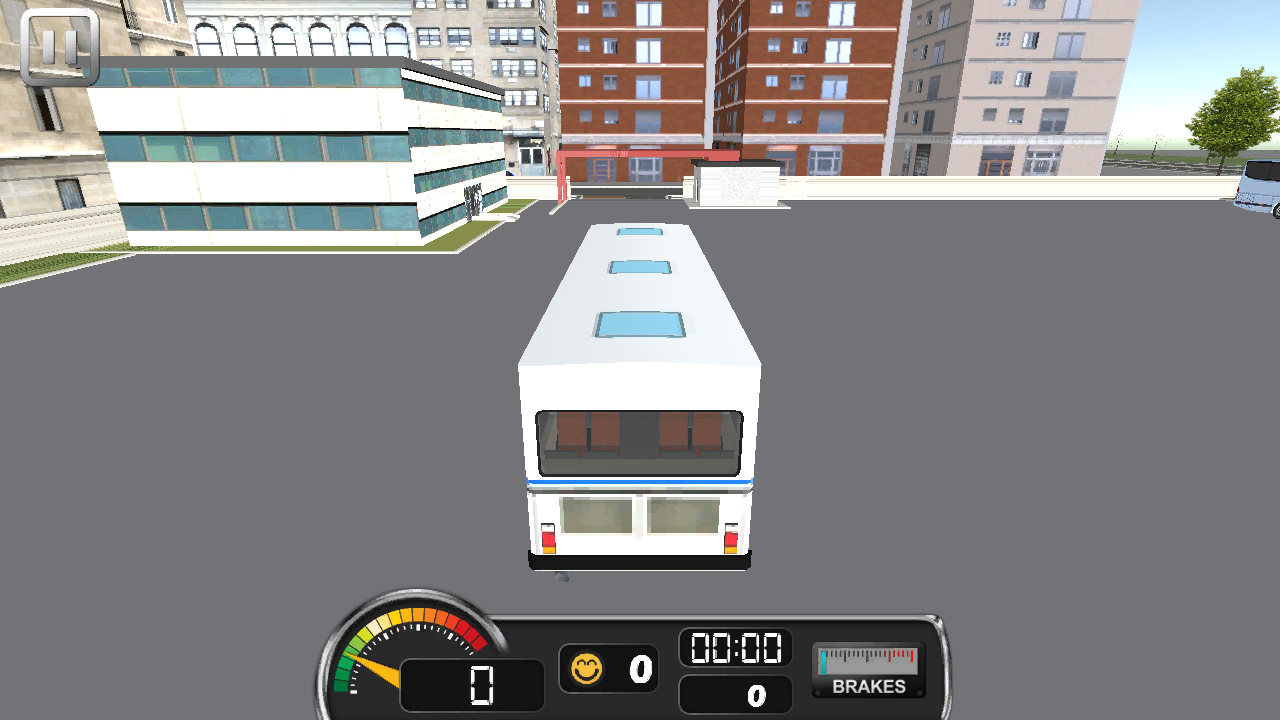
Free Ride in Paris. Third-person camera behind the downtown bus, parked in a Parisian plaza. Speedometer at 0, coin counter at 0, timer at 00:00, BRAKES gauge visible.
The moment the 3D scene loaded, I actually said "oh wow" out loud. Not because the graphics are cutting-edge — they're not, this is WebGL in a browser — but because the level of ambition is wild. There's a modeled Parisian plaza. Stopped coach buses on side streets. A red double-decker bus on a boulevard. Pedestrian crosswalks. And in the distance, the Eiffel Tower.
Actually Driving: How Does It Feel?
Controls are WASD (or arrow keys):
- W to accelerate — I watched the speed readout climb from 0 to 12 to 14
- A/D to steer left/right — the bus has realistic turning radius, you can't just snap-turn
- Brakes have a visual gauge on the HUD
The driving feels... like driving a bus. It's heavy. It turns wide. It doesn't grip like a sports car. This sounds like a complaint but it's actually the point — if you want twitchy arcade steering, go play a racing game. This game commits to the simulation genre, and the weight of the bus is part of the experience.
I drove past the Eiffel Tower. I navigated around a roundabout. I may have clipped a bollard. The physics didn't freak out — the bus just bumped and kept going. Realistic? Close enough for a browser game.
The Part Nobody Talks About: WASD in a Browser Tab
Here's a technical detail that matters more than you'd think. This game uses keyboard controls (WASD). In a browser game running inside an iframe, keyboard input has to pass from the browser → the GamePix embed wrapper → the cross-origin game iframe → the Unity WebGL input handler. That's four layers of potential input failure.
In our playtest, it worked. W accelerated. D turned. The bus responded. This is not a given — we've tested other games where keyboard and mouse events simply don't penetrate the iframe boundary (that's why we rejected Parmesan Partisan and Cerkio during our quality review). Bus Driver Simulator 3D handles the input stack correctly, which suggests the developer actually tested their game in an iframe context. That level of care matters.
Who Is This For?
You'll love it if:
- You enjoy Euro Truck Simulator / City Bus Simulator but don't want to install a 2GB app
- You want a surprisingly deep 3D experience in a browser tab
- You're curious what Unity WebGL can actually do in 2026
- You want to virtually drive through Paris, Rome, or LA during a lunch break
Skip it if:
- You need instant load times (Unity WebGL takes 10-15 seconds)
- You want action — this is a simulator, the thrill is smooth parking, not explosions
- Your device is low-powered — WebGL 3D is GPU-intensive, older Chromebooks may struggle
The Numbers
- Engine: Unity WebGL (full 3D rendering in-browser)
- Maps: 6 (Paris, Rome, Los Angeles, Alaska, Berlin, Highway)
- Modes: Career (structured missions) + Free Ride (sandbox)
- Controls: WASD / arrow keys + mouse camera
- Load time: ~15 seconds to main menu
- Monetization: Rewarded ad boxes ("+3000 experiences"), non-intrusive during gameplay
- GamePix quality score: 0.90+ (top ~2%)
My Verdict
Bus Driver Simulator 3D is, genuinely, the most ambitious browser game I've tested on BooBoo. Is it going to compete with full desktop simulators? No. But the fact that it runs — with real 3D environments, working physics, multiple cities, and career progression — inside a browser tab with zero installation is impressive engineering.
If you told me in 2020 that I'd be driving a bus past a 3D-rendered Eiffel Tower in Chrome, I'd have laughed. In 2026, it's a URL away.
8.5/10 — loses half a point for load times and the occasional input delay, but earns it all back with sheer ambition.
▶ Play Bus Driver Simulator 3D — free, no download, bring your own sense of civic responsibility.
Screenshots captured during our editorial playtest on April 15, 2026. Driving was controlled via keyboard (WASD) in a headed Chromium browser. No screenshots were staged — the Eiffel Tower was genuinely that close to my terribly-parked bus.
Related Articles
I Spent Way Too Long Launching a Stickman Off a Staircase — Turbo Dismounting Review
A hands-on review of Turbo Dismounting, the browser ragdoll physics game that turned my 'quick 5-minute test' into a 40-minute session. Spoiler: the flip score is addictive.
April 17, 2026Ready to Play Some Games?
Discover hundreds of free online games. No downloads, no registration required!
Play Games Now